'%3e%3c!--%20mat:%20red%20chevron%20trailing%20at%20the%20rope%20angle,%20cream%20top%20edge%20--%3e%3cpath%20d='M10%20392%20L181%20358%20Q187%20356.6%20193%20358%20L364%20392%20L364%20520%20L10%20520%20Z'%20fill='%23C5392C'/%3e%3cpath%20d='M10%20392%20L181%20358%20Q187%20356.6%20193%20358%20L364%20392'%20fill='none'%20stroke='%23EDECE8'%20stroke-width='14'/%3e%3c/g%3e%3cpath%20d='M178%206%20Q187%201%20196%206%20L364%2084%20Q371%2088%20371%2097%20L371%20396%20Q371%20417%20350%20428%20L195%20503%20Q187%20507%20179%20503%20L24%20428%20Q3%20417%203%20396%20L3%2097%20Q3%2088%2010%2084%20Z'%20fill='none'%20stroke='%23EDECE8'%20stroke-width='14'%20stroke-linejoin='round'/%3e%3cg%20fill='%23C5392C'%3e%3crect%20x='129'%20y='103'%20width='116'%20height='62'%20rx='20'/%3e%3crect%20x='129'%20y='187'%20width='116'%20height='62'%20rx='20'/%3e%3crect%20x='129'%20y='271'%20width='116'%20height='62'%20rx='20'/%3e%3c/g%3e%3c/svg%3e) Turnbuckle
TurnbuckleAdding image descriptions
Give media-library images useful alt text for a clearer, more accessible experience.
An image description explains the useful content of an image when someone cannot see it. Adding concise alt text in the media library helps you keep each asset understandable and ready to use accessibly.
Find the image
Open Media → Images to browse the promotion's image library. Choose the image whose description you want to improve.
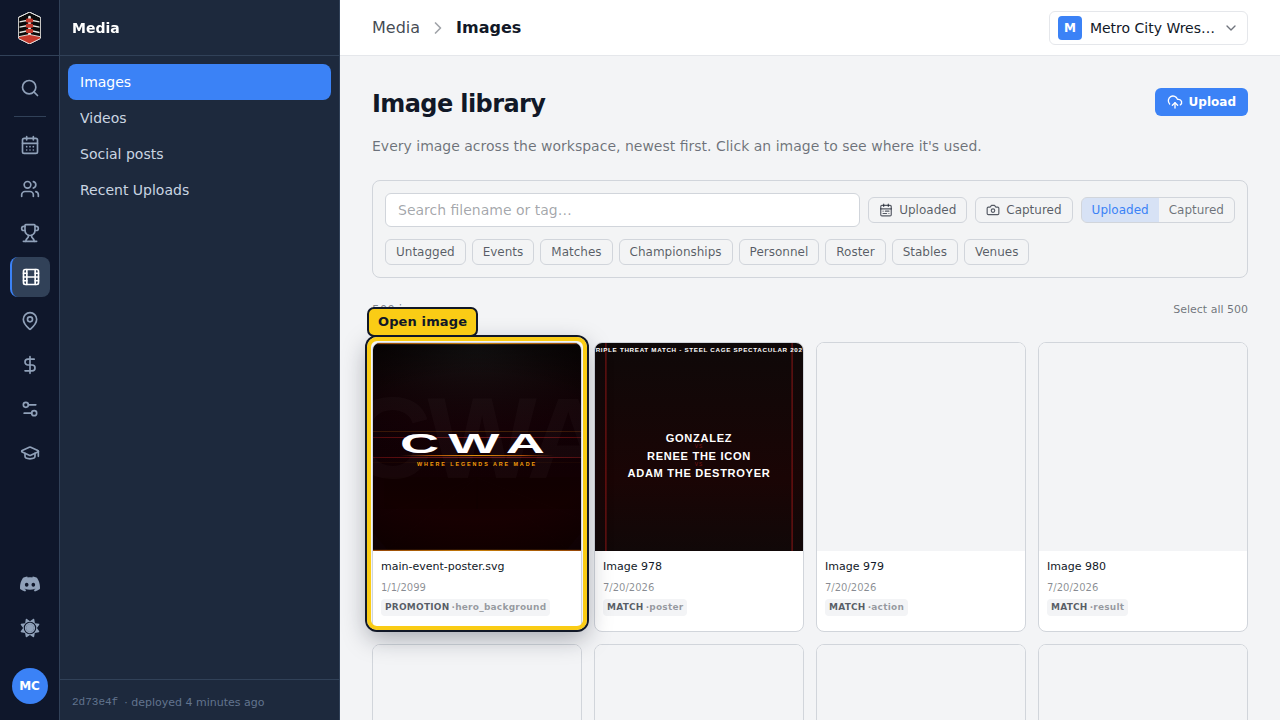
Open its metadata
The image detail page shows a preview alongside its metadata. Find Alt text in the Metadata section; this is the description used when the image itself is not available to the reader.
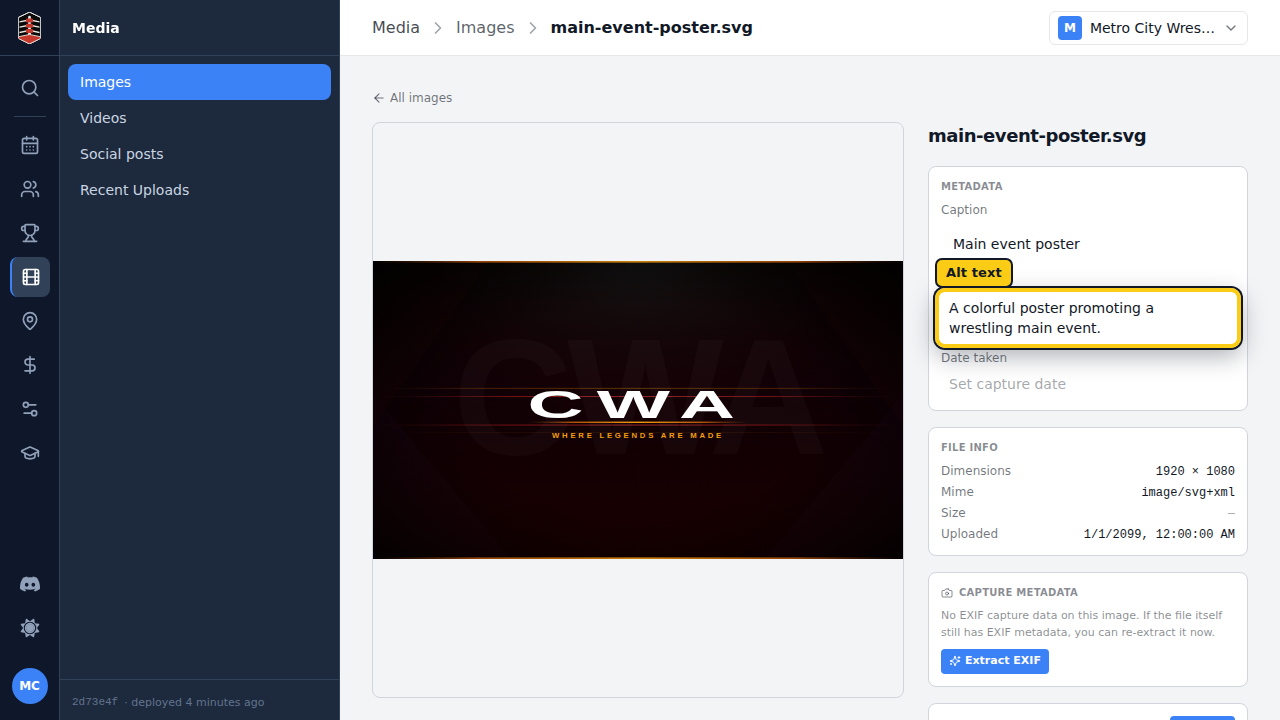
Select the current alt text to edit it. Describe the image's relevant subject or action in a short sentence, avoiding phrases such as “image of.” Press Enter to save the new wording.
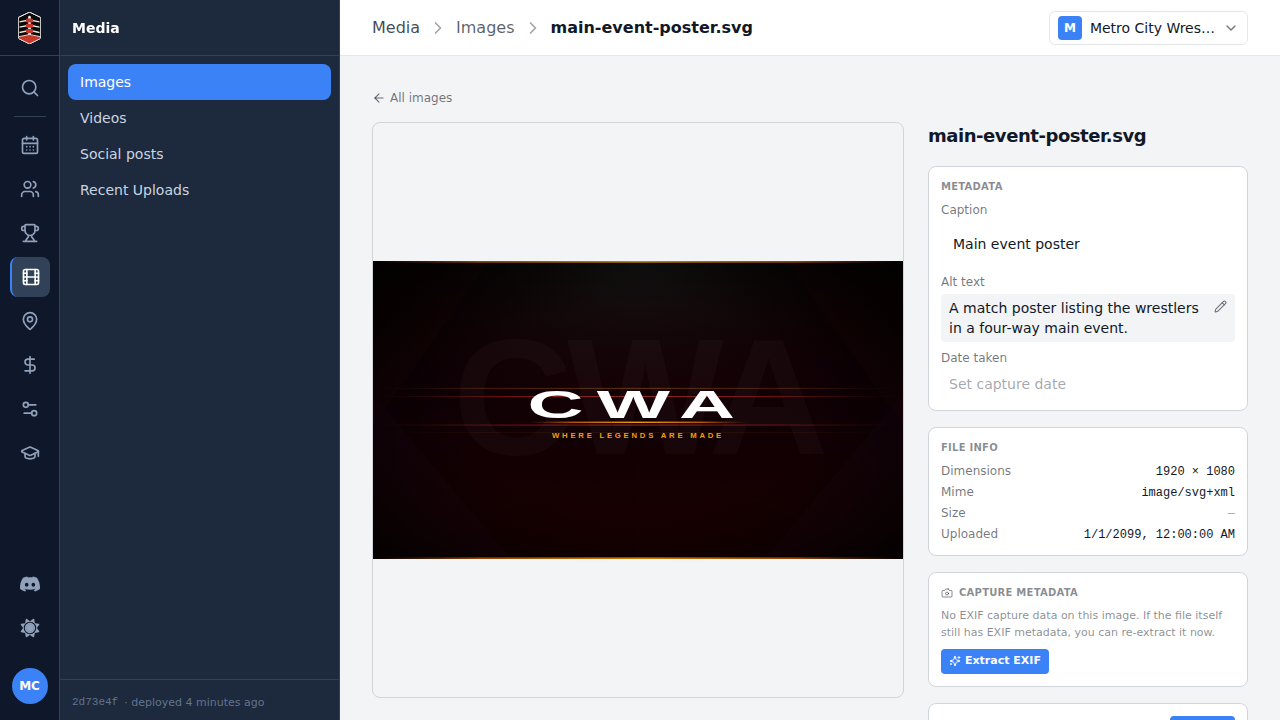
The description remains attached to this media item, so it is ready whenever the asset is used again.