'%3e%3c!--%20mat:%20red%20chevron%20trailing%20at%20the%20rope%20angle,%20cream%20top%20edge%20--%3e%3cpath%20d='M10%20392%20L181%20358%20Q187%20356.6%20193%20358%20L364%20392%20L364%20520%20L10%20520%20Z'%20fill='%23C5392C'/%3e%3cpath%20d='M10%20392%20L181%20358%20Q187%20356.6%20193%20358%20L364%20392'%20fill='none'%20stroke='%23EDECE8'%20stroke-width='14'/%3e%3c/g%3e%3cpath%20d='M178%206%20Q187%201%20196%206%20L364%2084%20Q371%2088%20371%2097%20L371%20396%20Q371%20417%20350%20428%20L195%20503%20Q187%20507%20179%20503%20L24%20428%20Q3%20417%203%20396%20L3%2097%20Q3%2088%2010%2084%20Z'%20fill='none'%20stroke='%23EDECE8'%20stroke-width='14'%20stroke-linejoin='round'/%3e%3cg%20fill='%23C5392C'%3e%3crect%20x='129'%20y='103'%20width='116'%20height='62'%20rx='20'/%3e%3crect%20x='129'%20y='187'%20width='116'%20height='62'%20rx='20'/%3e%3crect%20x='129'%20y='271'%20width='116'%20height='62'%20rx='20'/%3e%3c/g%3e%3c/svg%3e) Turnbuckle
TurnbuckleOnboarding talent
Add a person, create their wrestling persona, and connect the two records.
Turnbuckle keeps a performer's real identity separate from the character fans see. Personnel records the person; Roster records their ring persona. Linking the two lets one person work under more than one gimmick over time.
Add the person
Open Talent → Personnel and select New person.
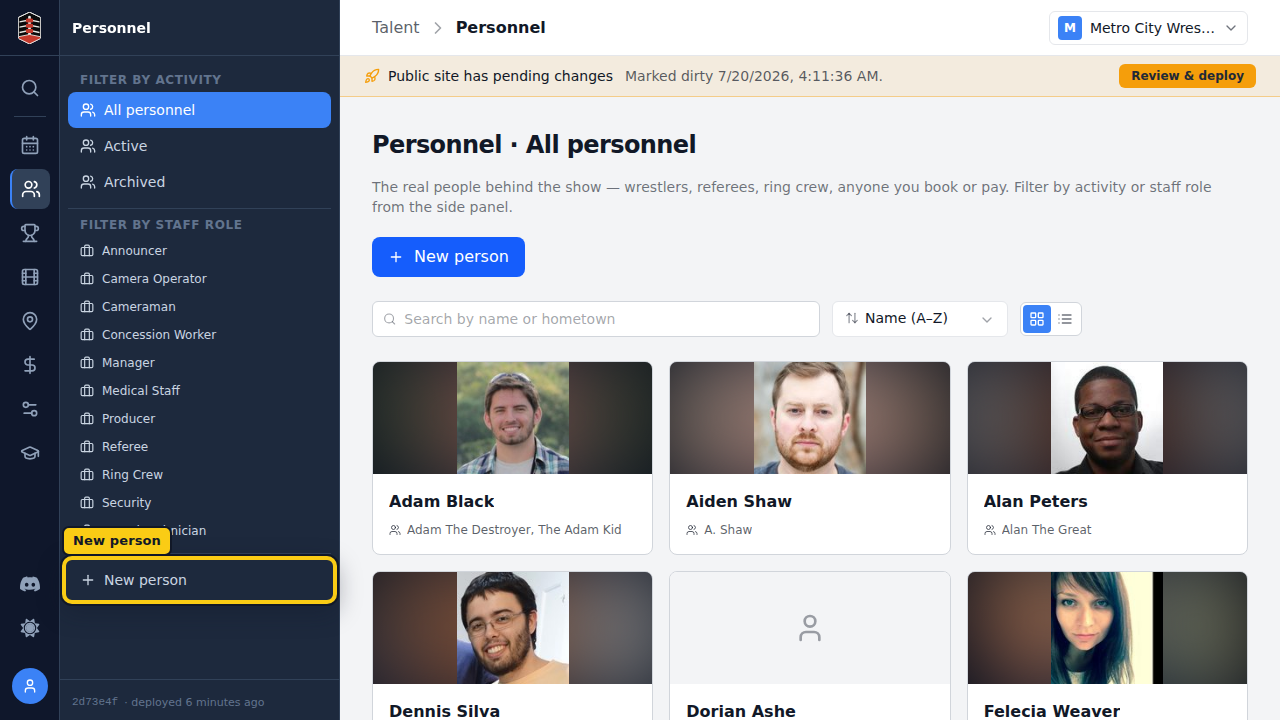
The person form is where you keep the performer's real-world information.
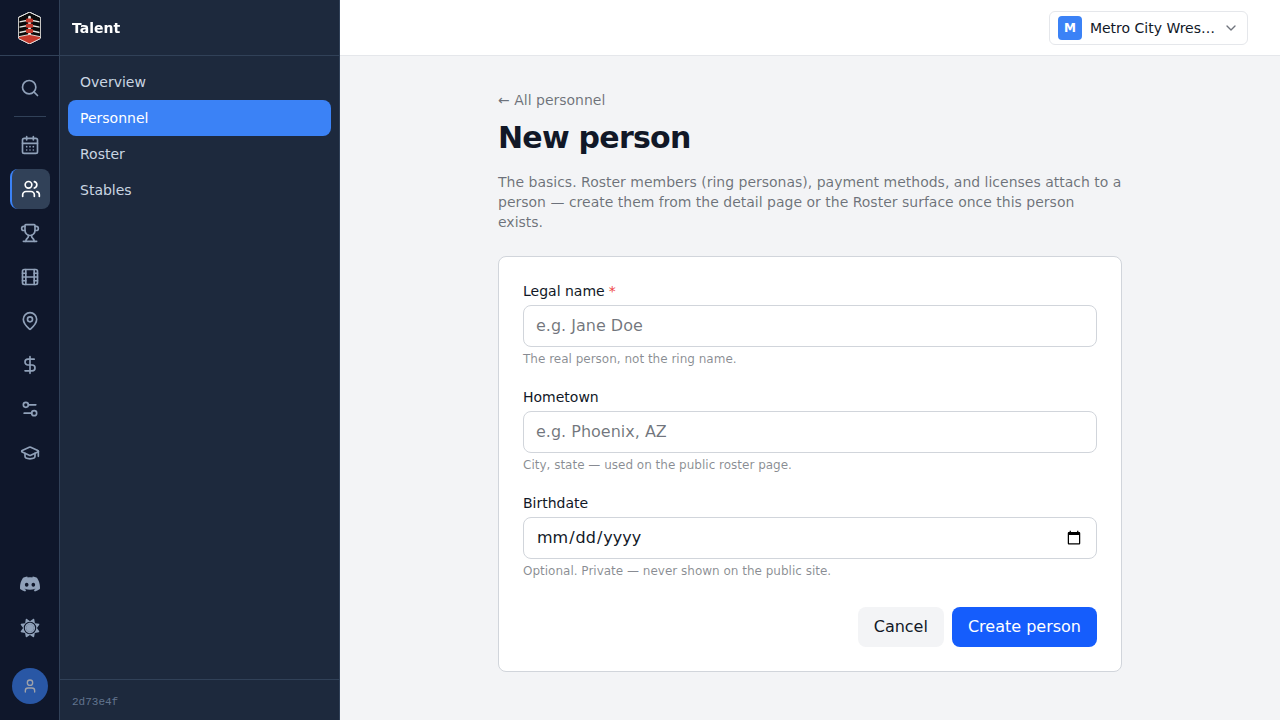
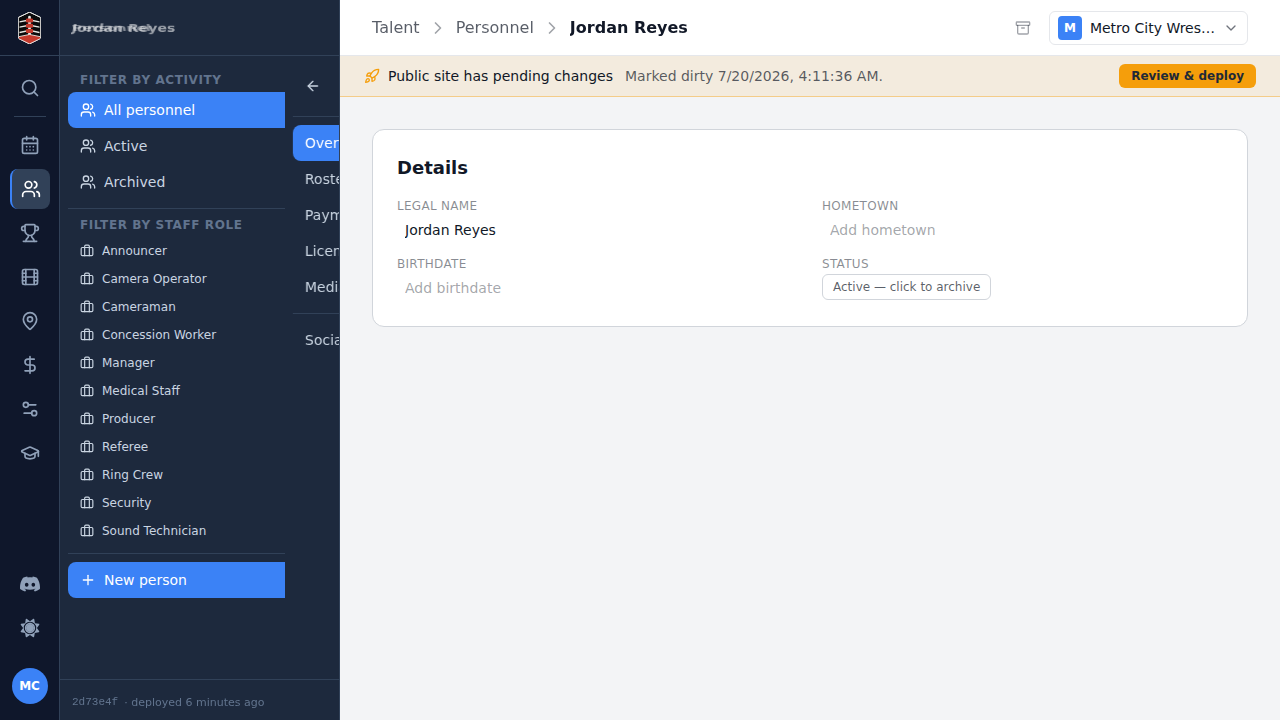
Enter their legal name, then select Create person.
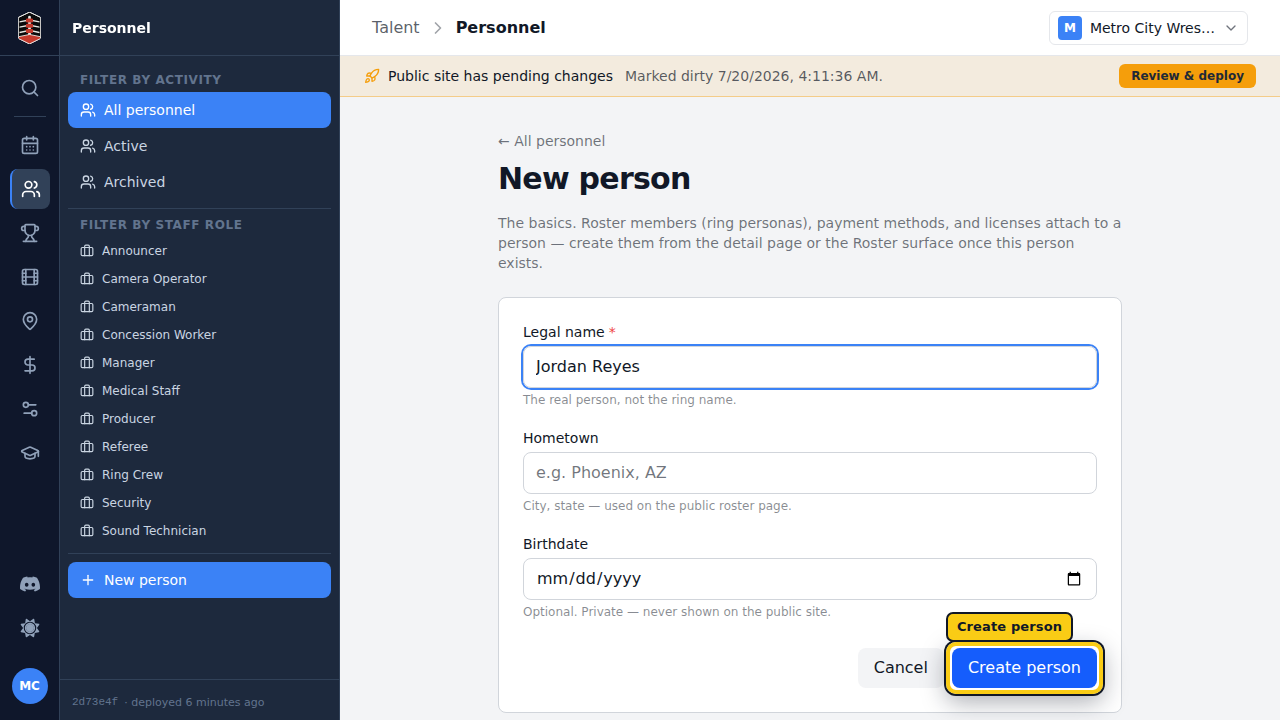
Turnbuckle opens the new personnel record so you can review it or add more details later.
Create the ring persona
Next, open Talent → Roster and select New roster member.
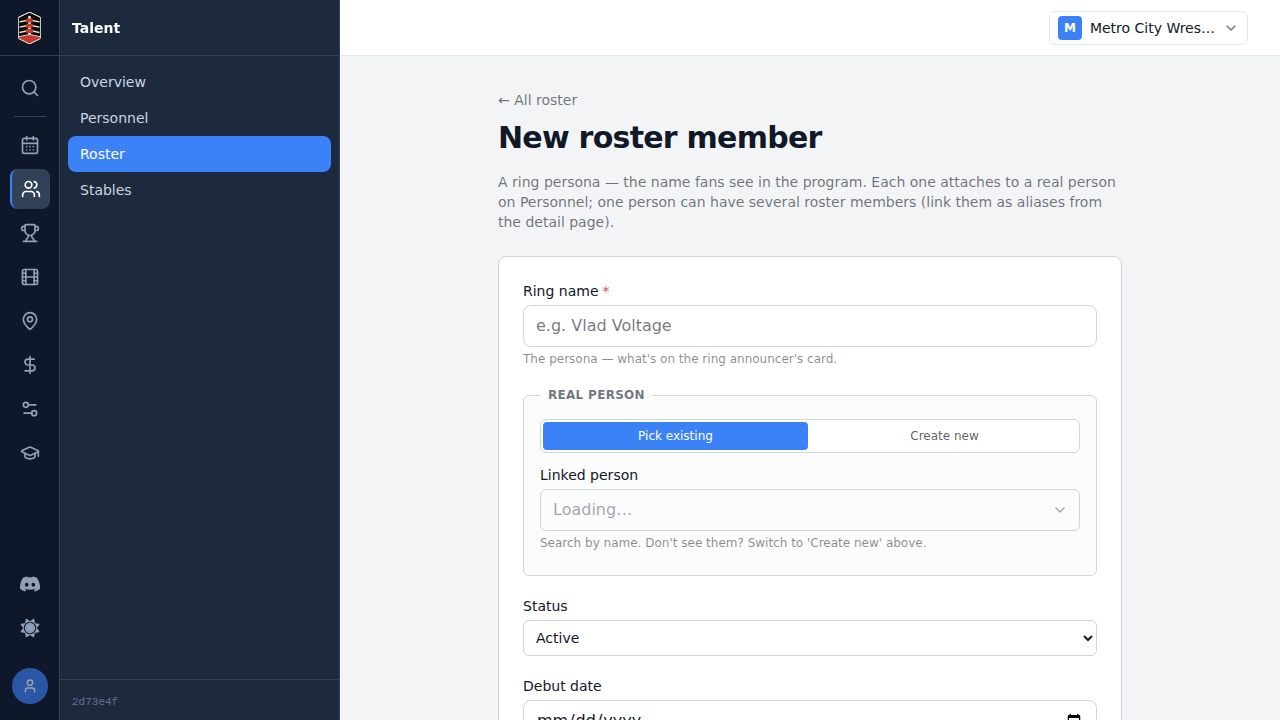
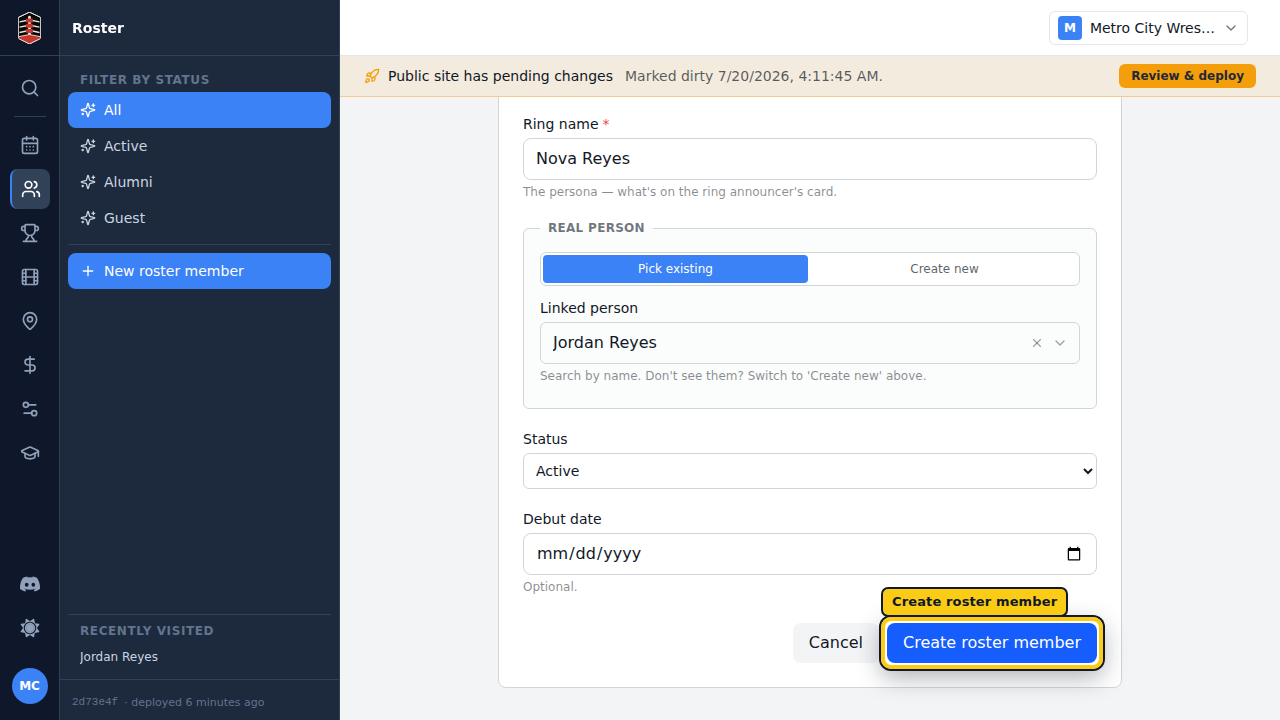
Enter the performer's ring name. In Linked person, search for and select the personnel record you just created, then select Create roster member.
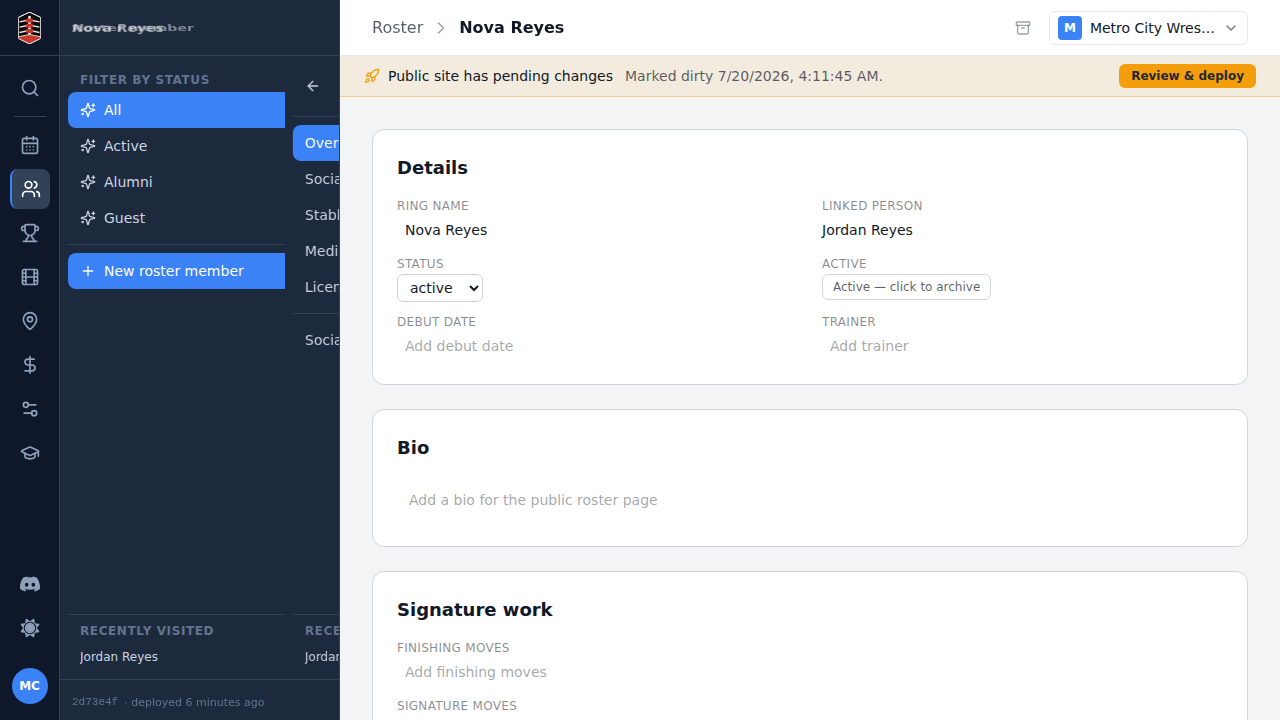
The new roster member opens on its overview page.
Check the connection
The overview's Linked person field should show the performer's personnel record. Follow that link whenever you need to move from the persona to the person behind it.
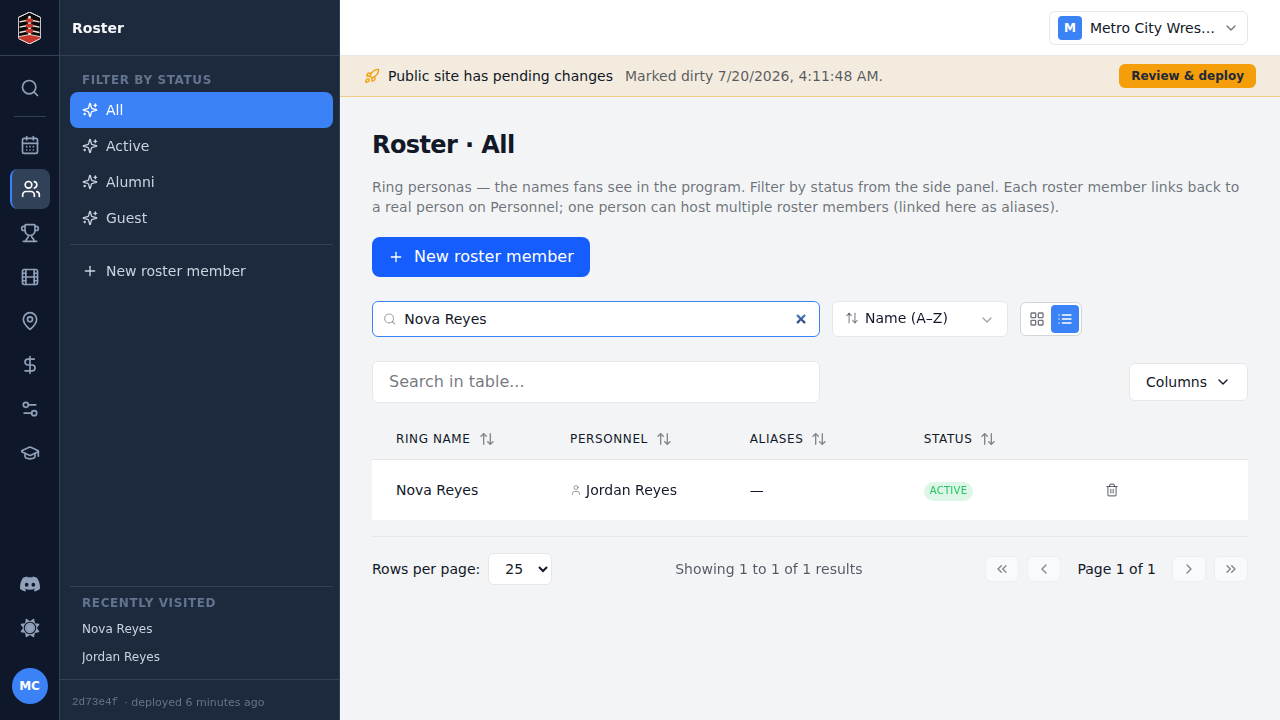
Return to Roster and search by ring name to find the new persona. They are now ready to be booked on event cards.