'%3e%3c!--%20mat:%20red%20chevron%20trailing%20at%20the%20rope%20angle,%20cream%20top%20edge%20--%3e%3cpath%20d='M10%20392%20L181%20358%20Q187%20356.6%20193%20358%20L364%20392%20L364%20520%20L10%20520%20Z'%20fill='%23C5392C'/%3e%3cpath%20d='M10%20392%20L181%20358%20Q187%20356.6%20193%20358%20L364%20392'%20fill='none'%20stroke='%23EDECE8'%20stroke-width='14'/%3e%3c/g%3e%3cpath%20d='M178%206%20Q187%201%20196%206%20L364%2084%20Q371%2088%20371%2097%20L371%20396%20Q371%20417%20350%20428%20L195%20503%20Q187%20507%20179%20503%20L24%20428%20Q3%20417%203%20396%20L3%2097%20Q3%2088%2010%2084%20Z'%20fill='none'%20stroke='%23EDECE8'%20stroke-width='14'%20stroke-linejoin='round'/%3e%3cg%20fill='%23C5392C'%3e%3crect%20x='129'%20y='103'%20width='116'%20height='62'%20rx='20'/%3e%3crect%20x='129'%20y='187'%20width='116'%20height='62'%20rx='20'/%3e%3crect%20x='129'%20y='271'%20width='116'%20height='62'%20rx='20'/%3e%3c/g%3e%3c/svg%3e) Turnbuckle
TurnbuckleCreating a trackable short link
Mint a short link and QR code you can print once, repoint anytime, and measure by scans.
A short link is a stable /go/<code> you can put on a flyer, a poster, or an
ad. It redirects to wherever you point it — tickets, an event page, a video —
and logs every scan, so you can see which placements actually drive traffic.
Print it once: you can repoint the link later without reprinting the QR.
Each screenshot below is captured from the real product by our automated test suite.
Open your short links
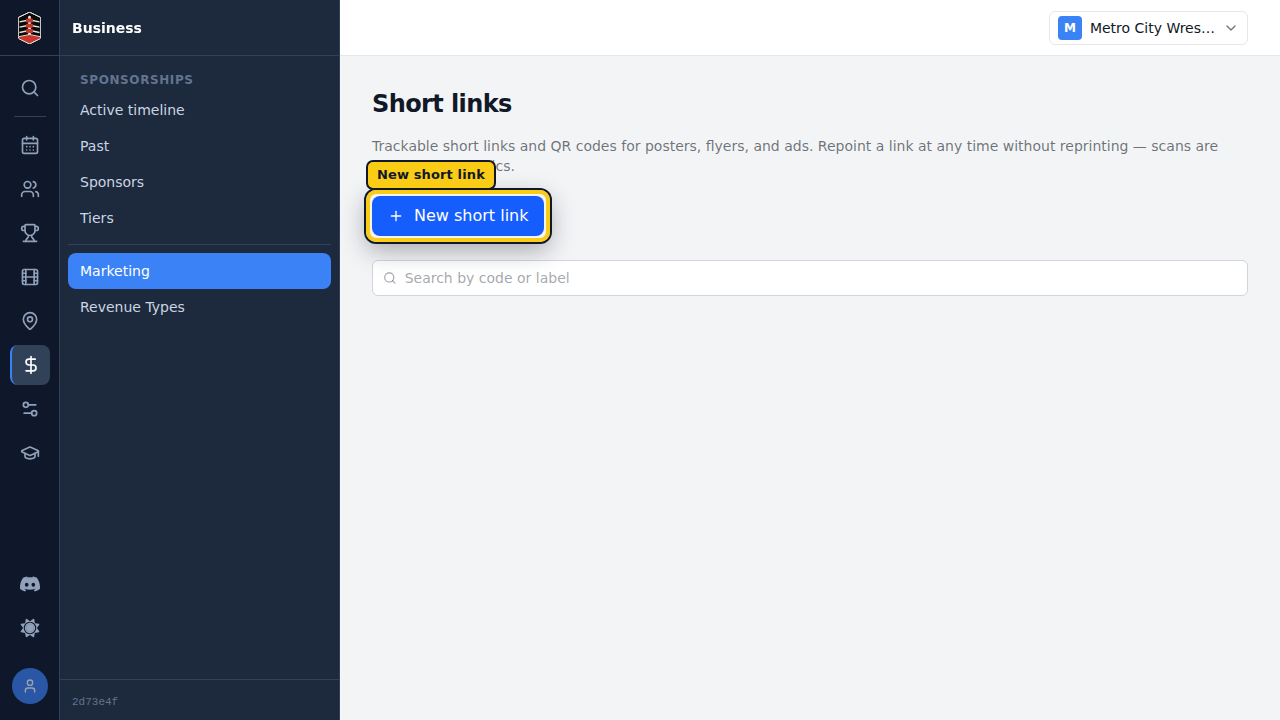
Go to Business → Marketing → Short links. This lists the trackable links your promotion already has; select New short link to add one.
Point it somewhere
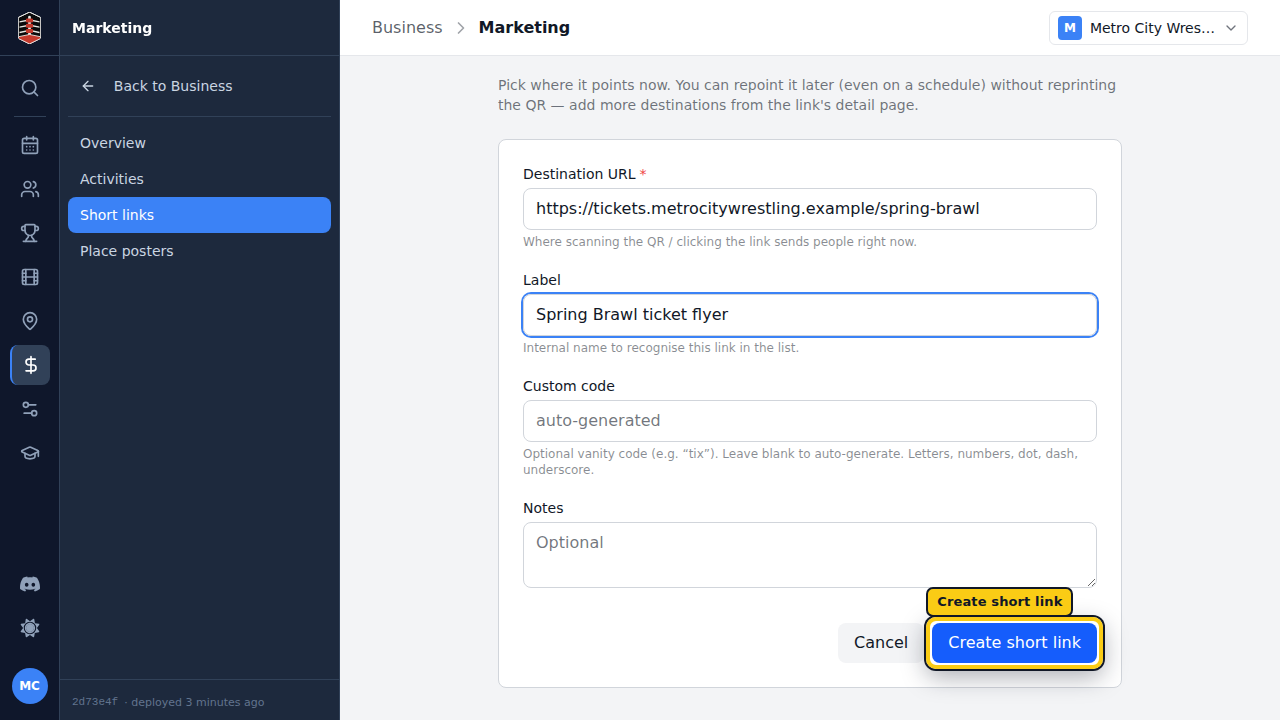
Give the link a destination URL — where scanning the QR or clicking the link sends people right now. Add a label so you can recognise it in the list later (an internal name, not shown to fans).
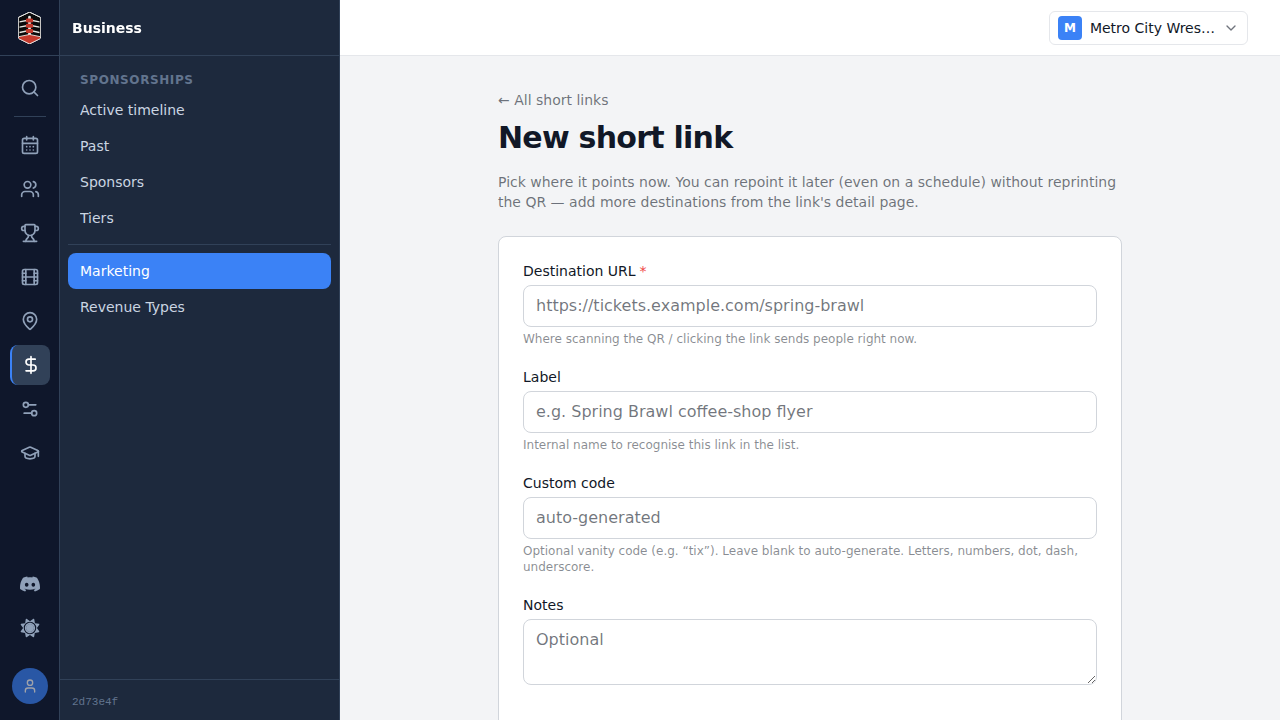
Leave Custom code blank to auto-generate a short code, or type a vanity one
like tix. You can repoint the destination anytime — even on a schedule — from
the link's detail page, so an already-printed flyer never goes stale.
Print the QR, watch the scans
Select Create short link to save it. Turnbuckle takes you to the link's
detail, where the QR code is ready to download (PNG for screens, SVG for print)
and the /go/<code> → destination redirect is shown.
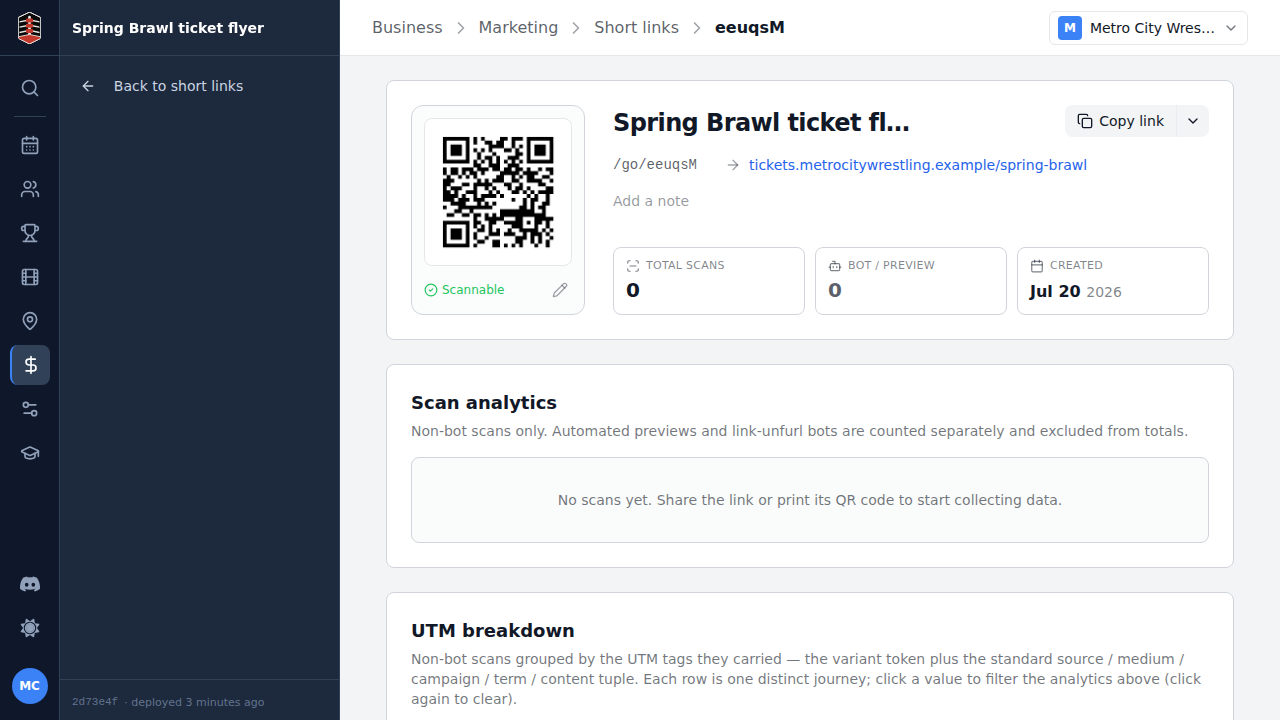
From here you can customise the QR, add scheduled destinations, and watch scan analytics roll in as people out in the world point their phones at it.