'%3e%3c!--%20mat:%20red%20chevron%20trailing%20at%20the%20rope%20angle,%20cream%20top%20edge%20--%3e%3cpath%20d='M10%20392%20L181%20358%20Q187%20356.6%20193%20358%20L364%20392%20L364%20520%20L10%20520%20Z'%20fill='%23C5392C'/%3e%3cpath%20d='M10%20392%20L181%20358%20Q187%20356.6%20193%20358%20L364%20392'%20fill='none'%20stroke='%23EDECE8'%20stroke-width='14'/%3e%3c/g%3e%3cpath%20d='M178%206%20Q187%201%20196%206%20L364%2084%20Q371%2088%20371%2097%20L371%20396%20Q371%20417%20350%20428%20L195%20503%20Q187%20507%20179%20503%20L24%20428%20Q3%20417%203%20396%20L3%2097%20Q3%2088%2010%2084%20Z'%20fill='none'%20stroke='%23EDECE8'%20stroke-width='14'%20stroke-linejoin='round'/%3e%3cg%20fill='%23C5392C'%3e%3crect%20x='129'%20y='103'%20width='116'%20height='62'%20rx='20'/%3e%3crect%20x='129'%20y='187'%20width='116'%20height='62'%20rx='20'/%3e%3crect%20x='129'%20y='271'%20width='116'%20height='62'%20rx='20'/%3e%3c/g%3e%3c/svg%3e) Turnbuckle
TurnbuckleConnecting a ticketing provider
Turn on live ticket revenue for an event — connect a provider and watch sales roll in before the show.
Turnbuckle doesn't sell your tickets — your ticketing provider does. What it does do is fold those sales straight into the event you're running, as one of its revenue streams. Connect SimpleTix, Square, or Purplepass (via Zapier) right from the event, and every order shows up as live ticket revenue days before the doors open.
The whole journey happens on one screen. Each screenshot below is captured from the real product by our automated test suite.
Start on the event's Financials
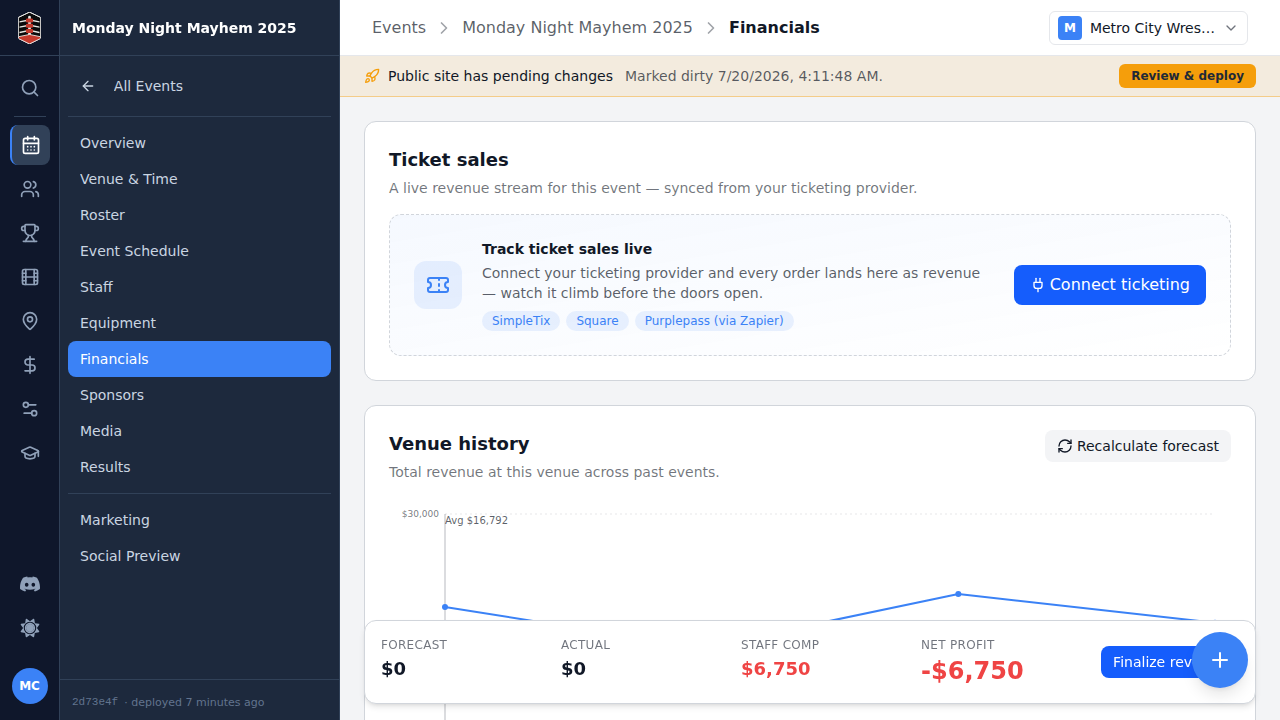
Open your event and go to Financials. Ticket sales sits at the top as a revenue stream — and until you connect a provider, it's inviting you to.
Connect a provider
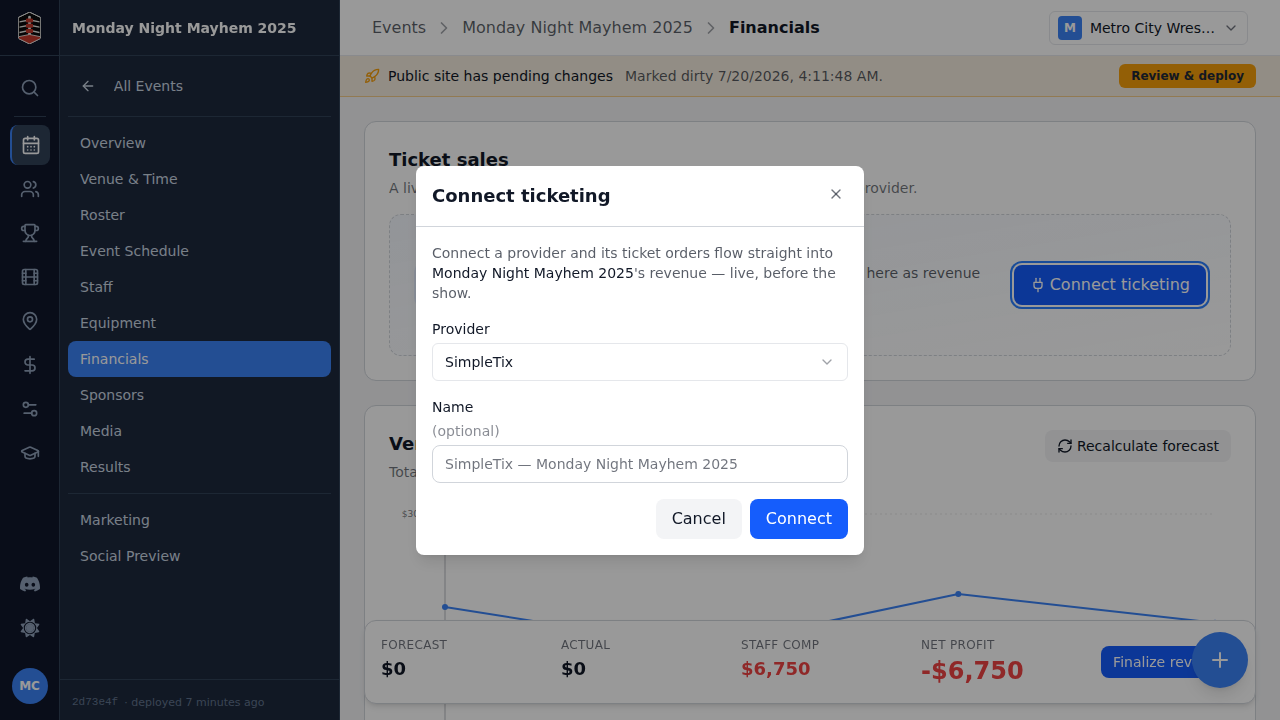
Click Connect ticketing and pick your provider. We'll use SimpleTix, which authenticates purely by its webhook URL — so there's nothing to fill in, just connect.
Copy your webhook URL
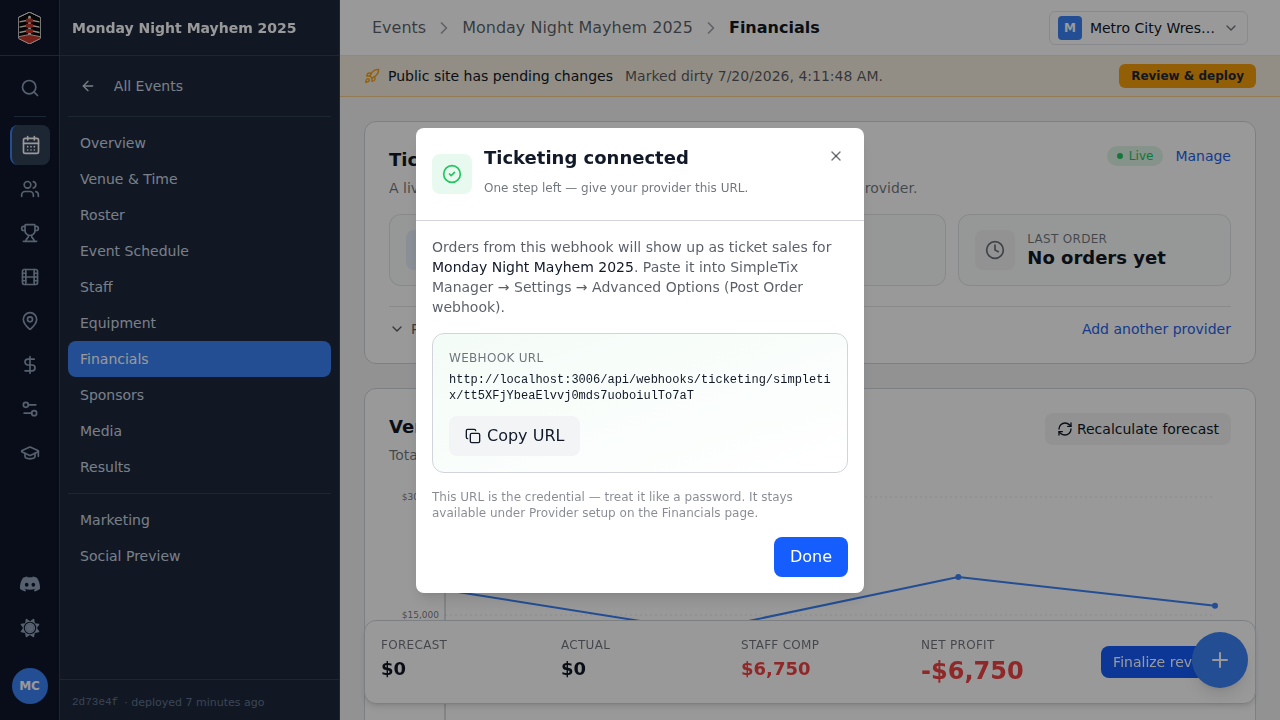
Turnbuckle mints a unique webhook URL that's already routed to this event — no separate mapping step. Paste it into SimpleTix Manager under Settings → Advanced Options → Post Order webhook, and treat it like a password.
Watch the sales roll in
That's it. As orders come in, they land on the event's Ticket sales stream in real time — here's the event after its first sale, showing one ticket sold and the revenue it brought in. No manual entry, no waiting for the box-office reconciliation.
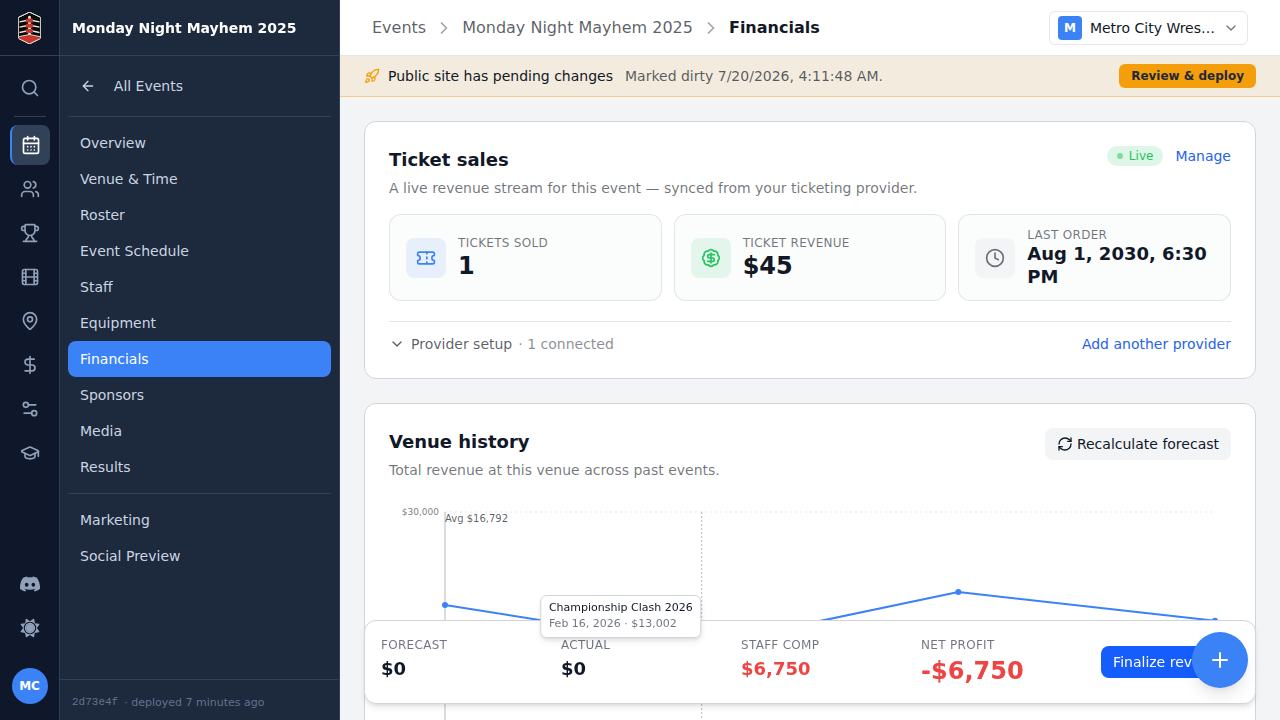
Every order counts toward the event's Tickets revenue stream by default — you'll see the live number right on the Tickets card in Revenue by type. Selling tiers? Add revenue-mapping rules under Settings → Ticketing ("Ringside" → Ringside, "GA" → General Admission) and each tier tracks as its own revenue type, retroactively re-bucketing orders already received.
Need to manage providers across many events, rotate a URL, or route by provider event id instead of per-event? That all lives under Settings → Ticketing — but for a single event, you never have to leave it.