'%3e%3c!--%20mat:%20red%20chevron%20trailing%20at%20the%20rope%20angle,%20cream%20top%20edge%20--%3e%3cpath%20d='M10%20392%20L181%20358%20Q187%20356.6%20193%20358%20L364%20392%20L364%20520%20L10%20520%20Z'%20fill='%23C5392C'/%3e%3cpath%20d='M10%20392%20L181%20358%20Q187%20356.6%20193%20358%20L364%20392'%20fill='none'%20stroke='%23EDECE8'%20stroke-width='14'/%3e%3c/g%3e%3cpath%20d='M178%206%20Q187%201%20196%206%20L364%2084%20Q371%2088%20371%2097%20L371%20396%20Q371%20417%20350%20428%20L195%20503%20Q187%20507%20179%20503%20L24%20428%20Q3%20417%203%20396%20L3%2097%20Q3%2088%2010%2084%20Z'%20fill='none'%20stroke='%23EDECE8'%20stroke-width='14'%20stroke-linejoin='round'/%3e%3cg%20fill='%23C5392C'%3e%3crect%20x='129'%20y='103'%20width='116'%20height='62'%20rx='20'/%3e%3crect%20x='129'%20y='187'%20width='116'%20height='62'%20rx='20'/%3e%3crect%20x='129'%20y='271'%20width='116'%20height='62'%20rx='20'/%3e%3c/g%3e%3c/svg%3e) Turnbuckle
TurnbuckleCreating a championship
Add a title to your promotion and prepare it for its first champion.
Championships give your promotion a lasting record of titleholders, reigns, and defenses. Create the championship first; you can establish its lineage as the title enters active competition.
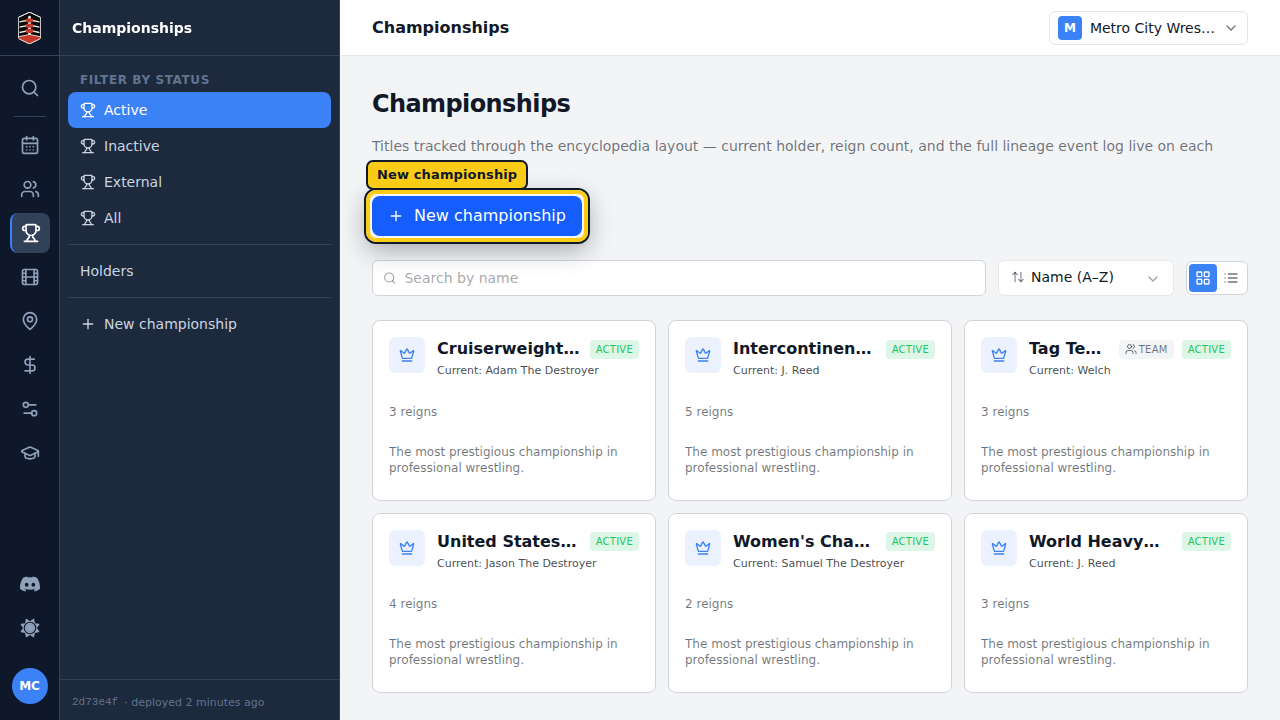
Open the championships list
Choose Championships to see your promotion's current titles. Select New championship to begin a new lineage.
Name the title
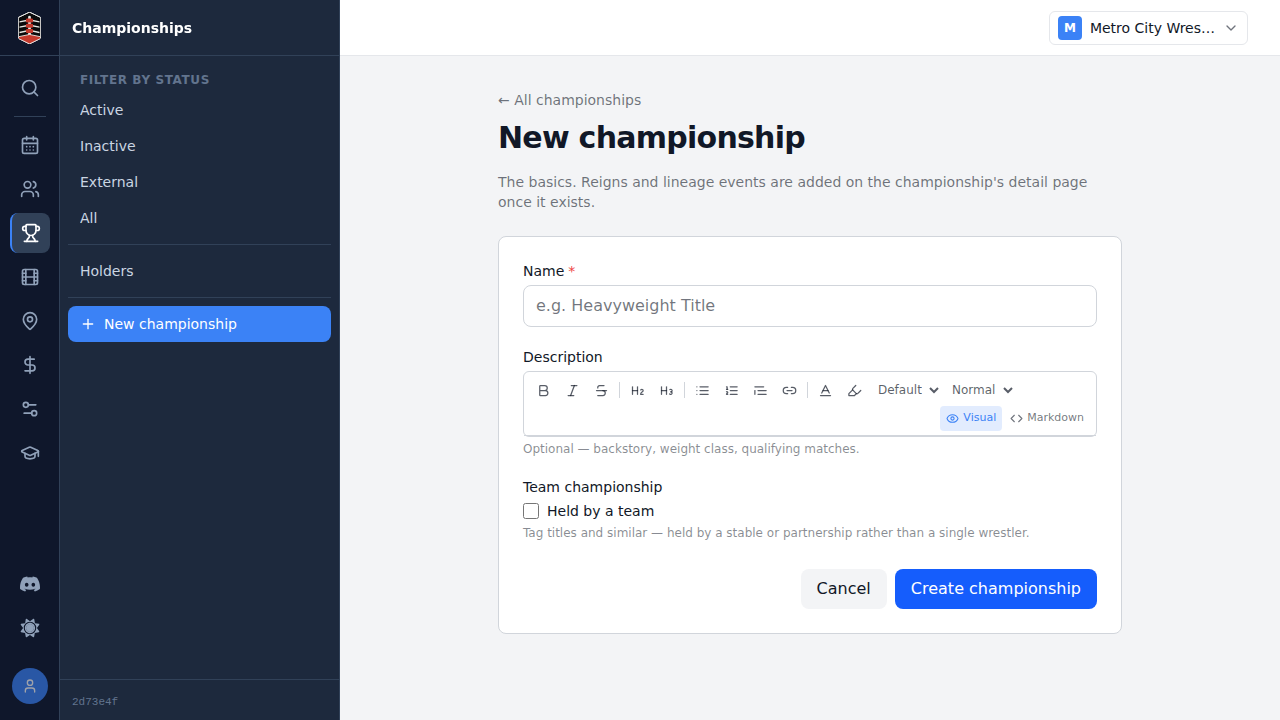
The new-championship form starts with the name fans and staff will use. Choose a distinct name that separates the title clearly from the rest of your championships.
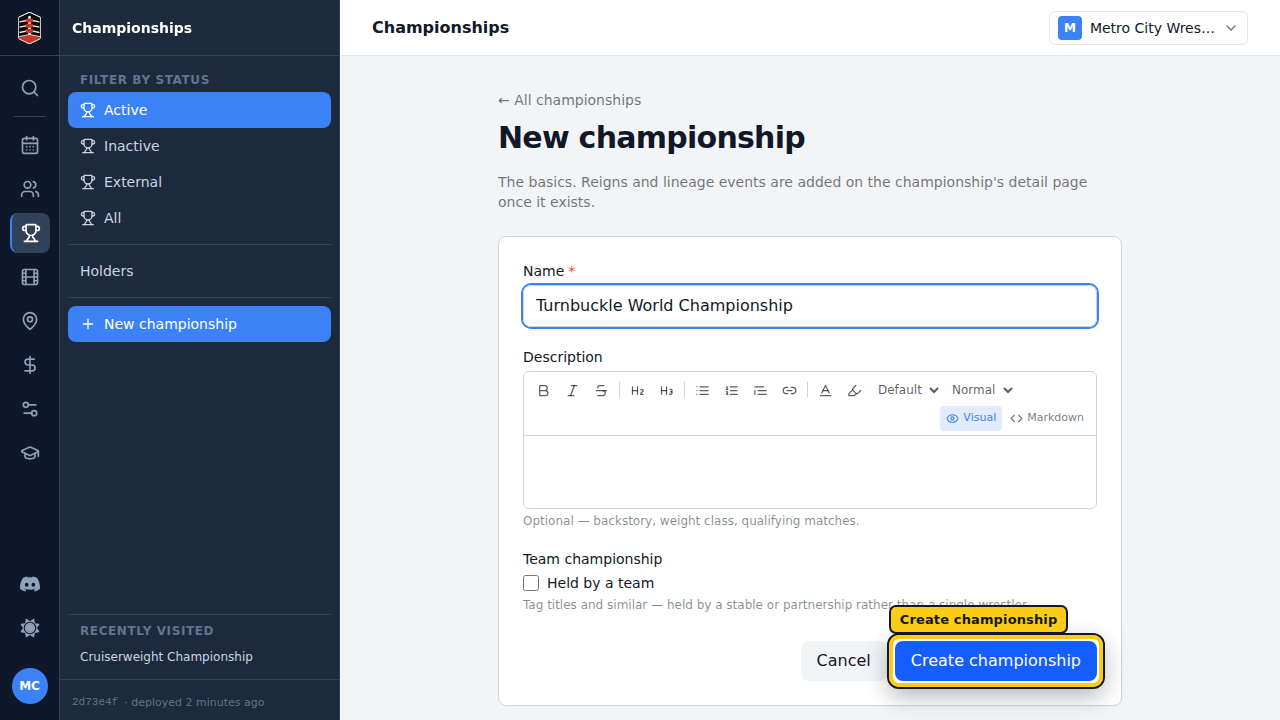
Enter the complete title name, then check it once more before selecting Create championship.
Continue from the title page
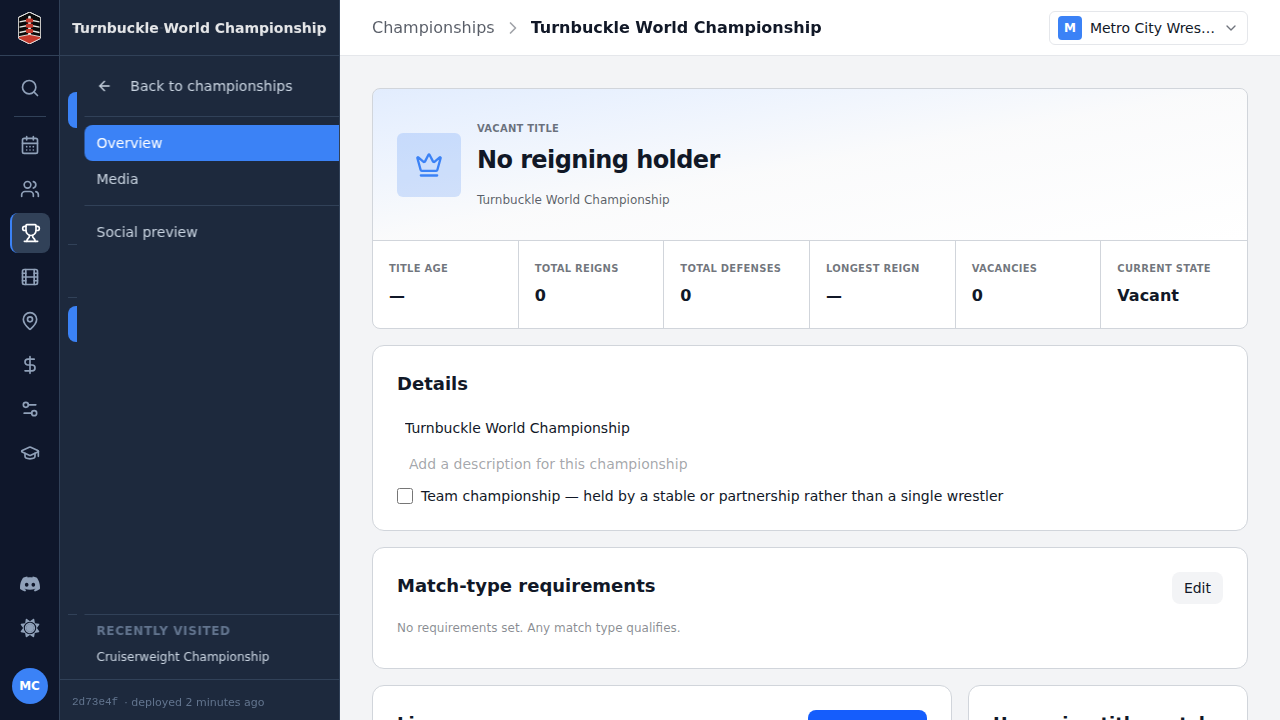
After creation, Turnbuckle opens the championship page. A new title begins without a reigning holder, ready for you to record its first reign.
Use this page to maintain the championship's details and, as its history grows, review the reign and defense totals in one place.
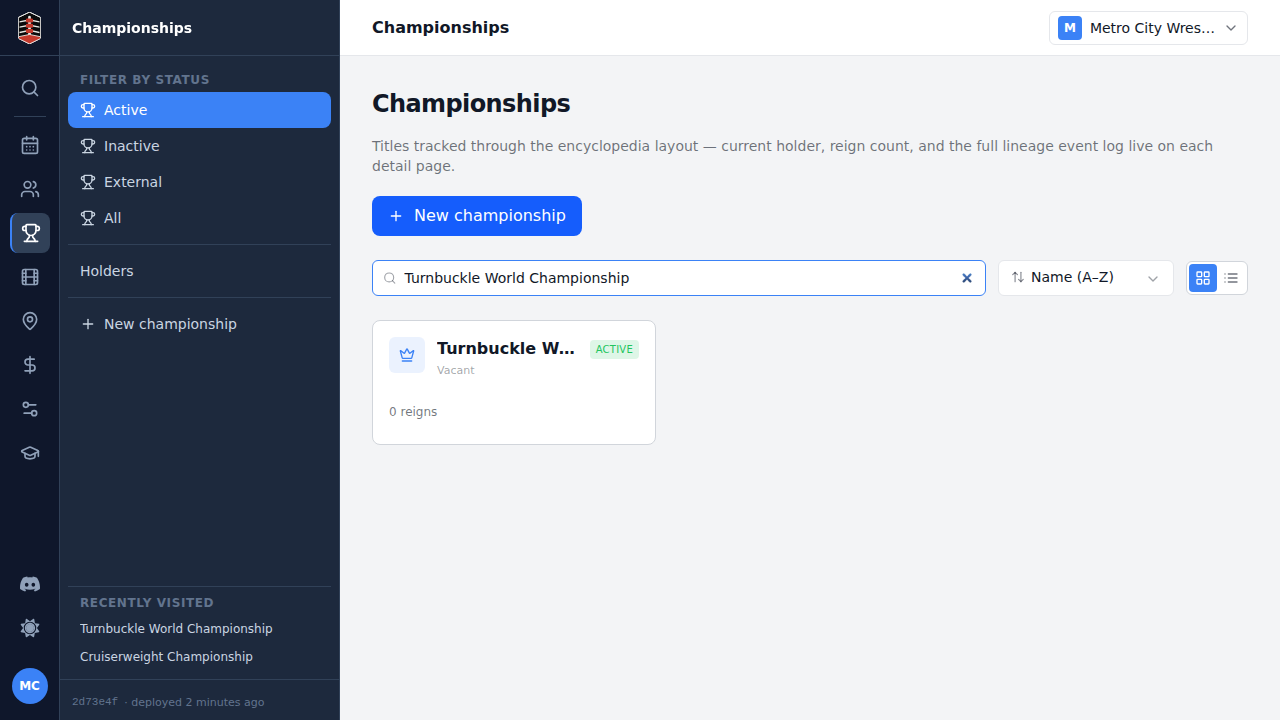
Return to Championships and search by name to confirm the title is in your promotion's list and ready to use.